

Emojiglot
FreeEmoji keyboard for Windows – search in 44 languages
A free emoji keyboard that types emoji, special characters and kaomoji straight into any Windows app – with emoji search in 44 languages and a global shortcut.

Live crypto & currency converter
How many dollars is 1 Bitcoin right now? Convert between 400+ cryptocurrencies and 30+ currencies with live rates, and get a Windows alert when Bitcoin moves – a free Windows desktop app.
Rates are indicative only and are not financial advice.
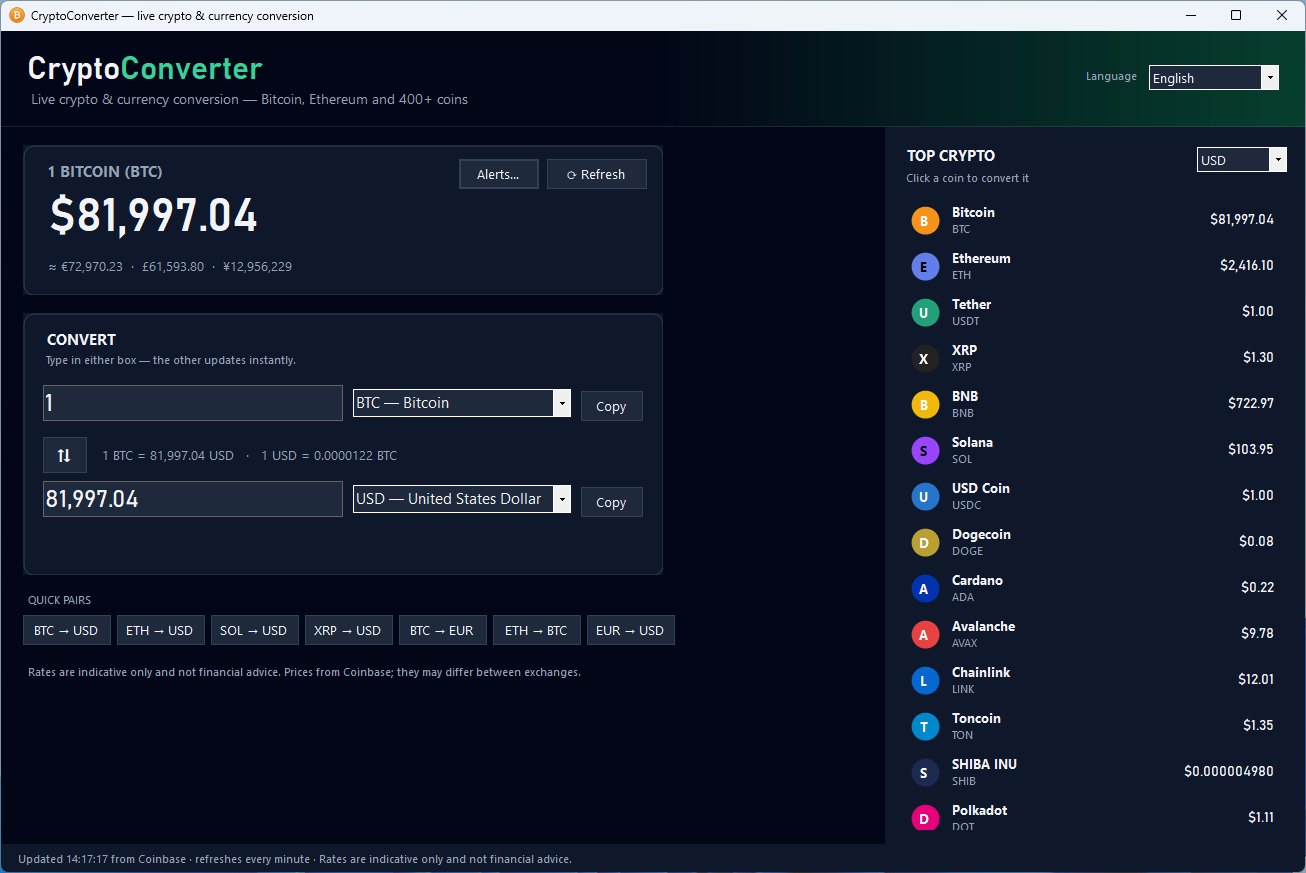
CryptoConverter answers the everyday question quickly: what is this coin worth in my currency right now? Type an amount, pick any two currencies and see the result instantly.
Rates come live from Coinbase and are cached on your PC, so the app keeps showing the last known rates even when you are offline. Search makes it easy to find any of the 400+ coins or 30+ traditional currencies.
Set a Bitcoin price alert and get a Windows notification when Bitcoin rises above a price, falls below a price, or moves by a percentage you choose. CryptoConverter can wait quietly in the notification area next to the clock, and start with Windows if you want it to.
No account, no API key and no sign-up. The app speaks 10 languages, and the installer includes everything it needs and requires no administrator rights.
Yes, CryptoConverter is completely free, with no time limit and no account.
Yes. CryptoConverter supports Windows 10, Windows 11.
Open Windows Settings > Apps > Installed apps, find CryptoConverter and choose Uninstall.
Emoji keyboard for Windows – search in 44 languages
A free emoji keyboard that types emoji, special characters and kaomoji straight into any Windows app – with emoji search in 44 languages and a global shortcut.

Turn PDFs into editable Word documents
Convert PDF files into editable Word (DOCX) documents in seconds, keeping the original formatting and layout – free for Windows.

Easter, Christmas and the church year – Western, Orthodox and Armenian
When is Easter this year, and when is Orthodox Easter? A free Windows app with every Christian holiday for any year, for the Western, Orthodox and Armenian churches.